Opportunity is on the line: Support Hunter College this #CUNYTuesday and help students stay enrolled, supported, and thriving despite major funding cuts. Give now.

Event Request Guide

Corporate, CUNY, Non-Profit, Film Shoot, Performances

Creating an Account

  1. Visit Online Rental Form.
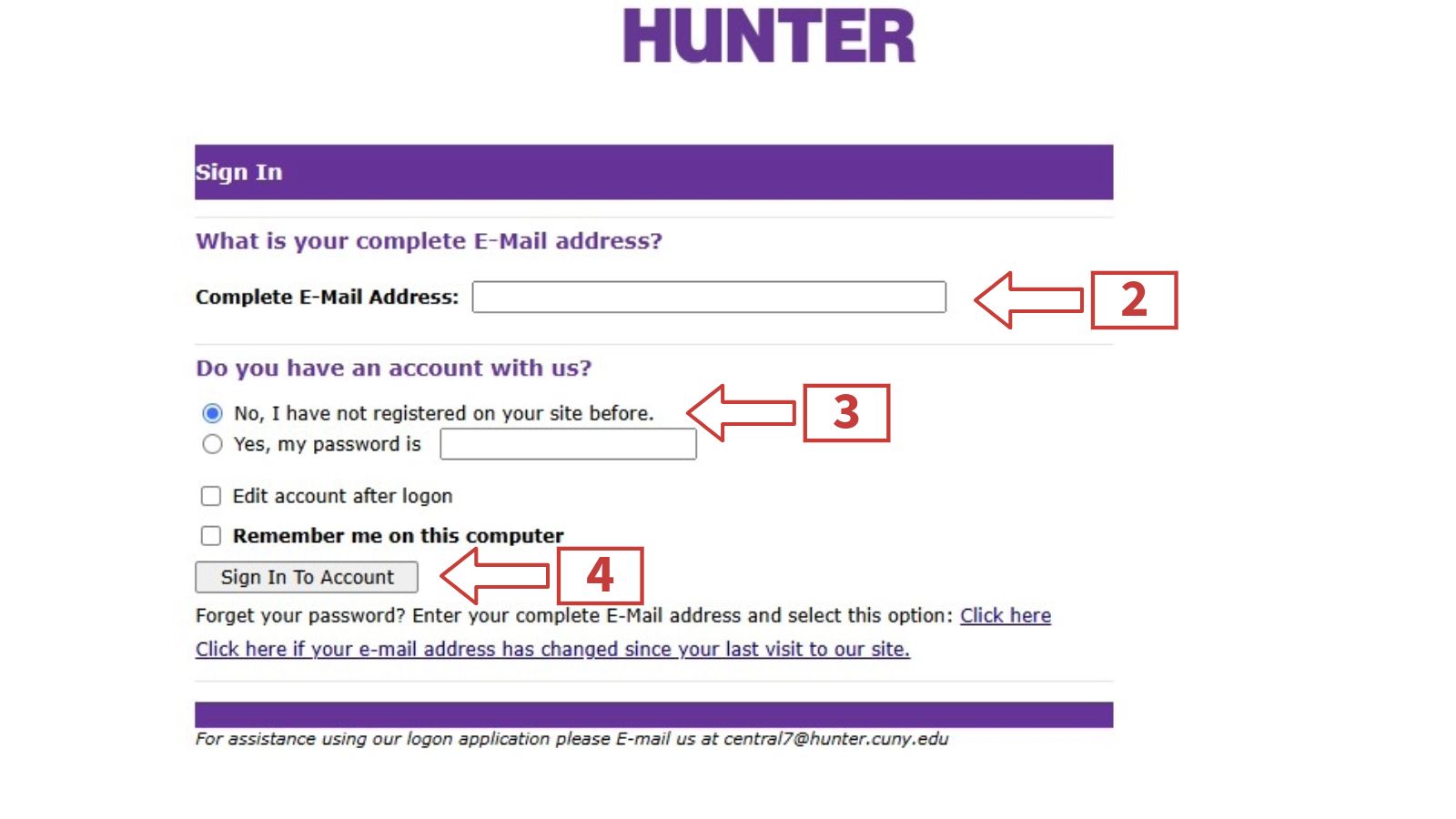
  2. Enter your complete email address.
  3. If you do not have an account, click “No, I have not registered on your site before.”
  4. Click "Sign In To Account".
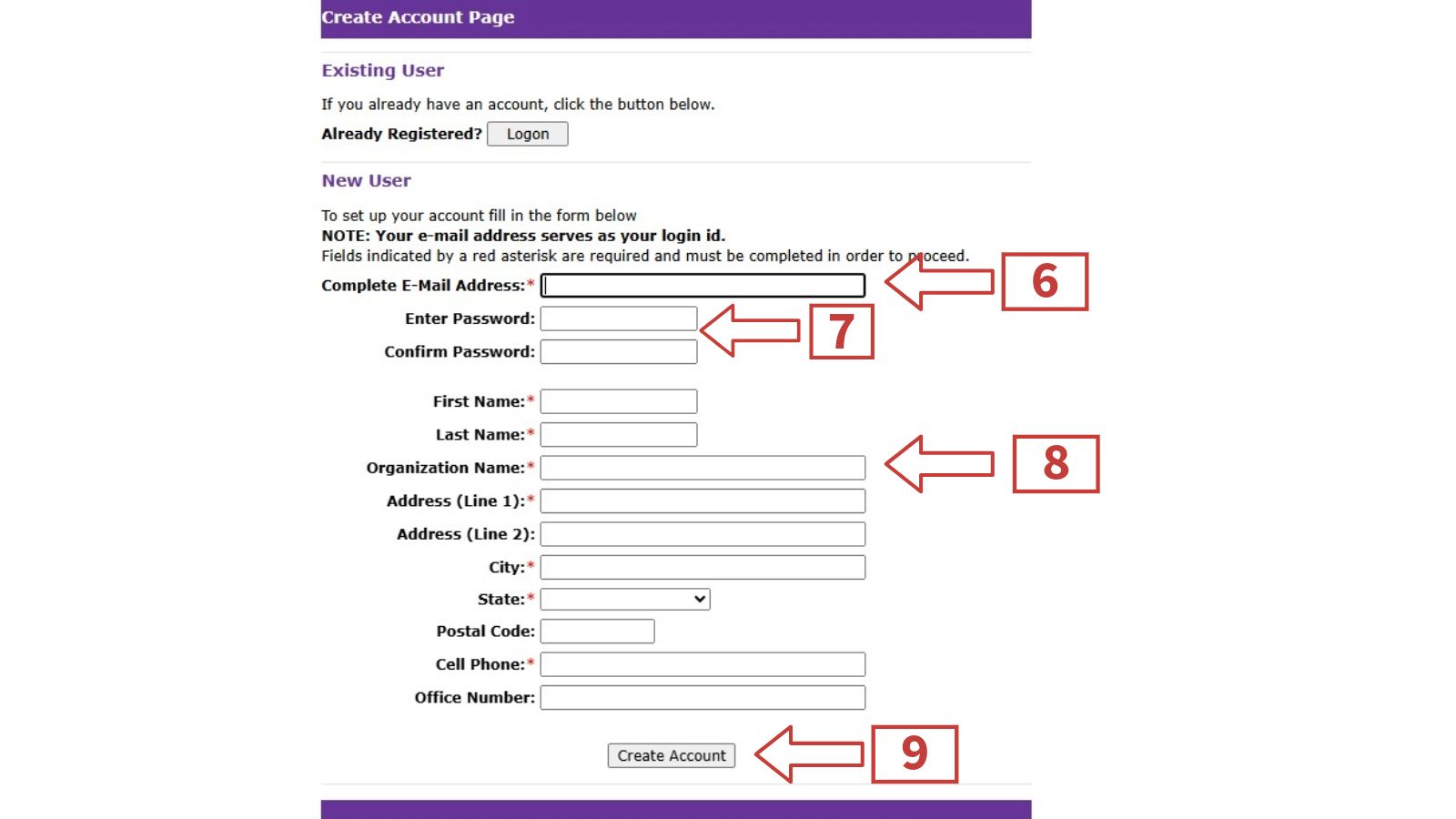
  5. You will be directed to a page called “Create Account Page”.
  6. Under “New User” type in your complete email address.
  7. Enter and confirm a password you will remember.
  8. Enter your contact information.
  9. Click “Create Account”


Sign In

  1. Visit Online Rental Form.
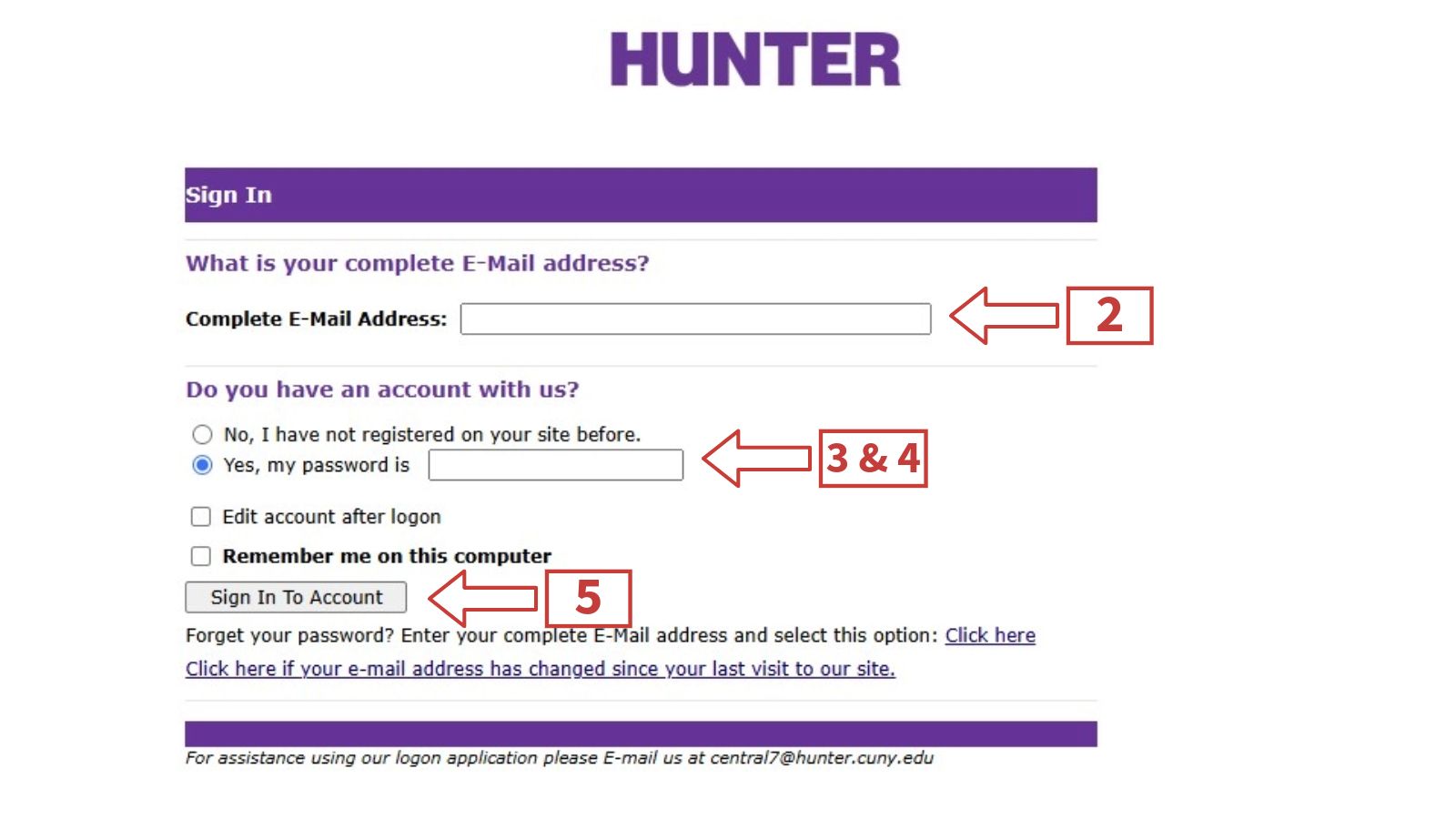
  2. Enter your complete email address.
  3. If you have an account, click “Yes, my password is”,
  4. Enter your password.
  5. Click “Sign In To Account”.

Request Available Spaces

  1. To find all the places available for renting visit Central Reservation and Events Homepage.
  2. Visit Online Rental Form to login in.
  3. Provide all event and required information.
  4. Attach your required and completed rental questionnaire on company letterhead in the document attachment area seen in instruction #4. This form can be found right underneath the link you previously clicked to
  5. Answer the required questions under the "Notes" section.
  6. Click "Submit".


Receipt of Request

1. Once you go through the above steps, you will be directed to a page showing your request information.
2. Please leave 2-3 business days for your event information to be processed.
3. If you have any questions please contact the Central Reservations office at central7@hunter.cuny.edu or by phone at (212) 396-6902.