After You Are Admitted
Congratulations on your admission to a graduate program at Hunter College! Follow the steps below to accept your offer, commit to the College, and submit your official transcripts.
To reserve your space in the graduate program, please review your acceptance letter and confirm your intent to enroll by returning to your Application Status Portal and submitting the Decision Reply Form.
All newly accepted graduate degree students must submit a non-refundable, non-deferrable commitment deposit of $250 (USD) to reserve their space in the graduate program and register for courses. The commitment deposit will be credited towards the student's first semester tuition charges. Commitment deposits are due three weeks from the date on your official acceptance letter.
Exemptions
- Graduate applicants admitted into a graduate degree program who are Veterans of the United States Military Service, currently on Active Duty or members of the National Guard or Reserves, (submit the required proof) are exempt from paying the $250 commitment deposit.
- Graduate applicants who are offered Non-Matriculated status are not required to pay the $250 commitment deposit.
- Applicants admitted into the Doctor of Education Degree (Ed.D.) Doctor of Nursing Practice (DNP), PhD in Nursing, and Doctor of Physical Therapy program (DPT) are not required to submit a commitment deposit. All admitted students need to acknowledge their acceptance through the online application system.
How to Pay Your Commitment Deposit
Online:
The Commitment Deposit can be paid through your Application Status Portal 48–72 hours after you accept your offer. We will notify you once the payment option is available.
By Mail or In Person:
You may also submit your payment directly to the Office of the Bursar (checks or money orders by mail; cash accepted in person):
Hunter College – Office of the Bursar
695 Park Avenue
Room 238 North
New York, NY 10065
or
Once your information is fully processed in the CUNYfirst system, you will receive a generic email notification inviting you to claim your CUNYfirst account. Please note: Since the email notification is sent from the online application system it may go directly to your spam/junk mail instead of your inbox.
Important! If you have previously applied to/attended a CUNY institution, and/or used the CUNYfirst system, you do not need to claim/create another CUNYfirst account.
To claim your CUNYfirst account:
- Navigate to the CUNY website, then select select Login > CUNYfirst from the top menu.
- On the CUNY Login page, click the New User link, then follow the on-screen instructions.
- Once you claim your account, write down both your CUNYfirst ID (8-digit EMPLID) and log-in (username and password) information. You will need to know your CUNYfirst ID when seeing an advisor to obtain course approval/permission, etc.
Set Up CUNY (Multi-factor Authentication) MFA:
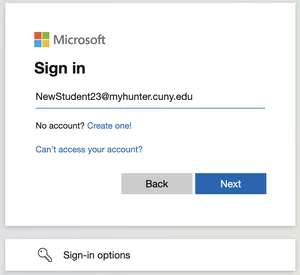
Hunter College and CUNY require all students, faculty, and staff to use Multi-factor Authentication (MFA) to sign into specific applications, including CUNYfirst.
Need help claiming your CUNYfirst account and/or CUNY MFA?
- Contact the Student Help Desk.
- View other ways to reach the Help Desk here.